RemoteView for Android (MOD)
How to install APK / APKS / OBB file on Android
Prefer apkdog.in on GoogleHi, There you can download APK games file "RemoteView" for Android free, apk file version is 8.3.2.19 to download to your android device just click this button. It's easy and warranty. We provide only original apk files. If any of materials on this site violates your rights
If you have any questions or require additional information, please contact us through https://content.rview.com/en/support/contact-us/. We will contact you as soon as possible. Thank you.
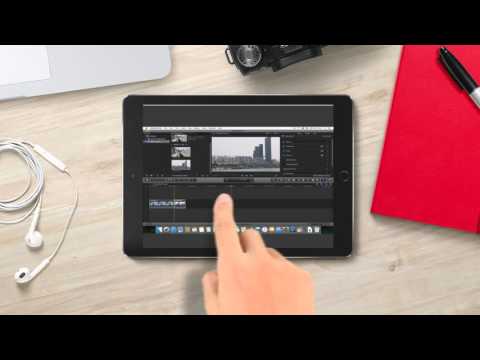
RemoteView is a service from Rsupport that lets you remotely control computers located either at home, at the office, or anywhere else as long as there is live Internet connection. All you have to do is this: (1) Install an agent on a computer you want to access remotely; (2) Install a RemoteView App on your smartphone or a tablet. Voila! You’re ready to start! You can use all the resource-heavy applications that usually require a full-on computer, from the convenience of a smartphone or a tablet by using RemoteView. That’s it!
[Special Features]
- Provides fast and safe remote control.
- File Transfer in both directions.
- Works under multiple network environments: Dynamic IP; DHCP, Private IP, Private and corporate firewalls.
- Improved security measures: Two-tier secured log-in process; ASE 256bit Encryption; SSL Security.
- Ease of Use: Assume control over a remote mouse and keyboard from mobile devices; Multi Touch, Scroll and Zoom are all supported.
- Language Input: Any language input method available on the remote computer will be supported.
- Common UX: You can use RemoteView from an iOS device as well as the Android OS device seamlessly.
- Virtual Environments Supported: Hyper-V; VMware; Virtual PC; Citrix Xen -- All supported.
- Other Notable Features: Multi Monitor Support; Screen Lock Out; Remote Power On/Off Via RemoteWOL.
[Rview Application Areas]
- When you want to recreate an office IT work environment.
- When you want to work at your office PC from home.
- When you want to access your files located at home from your office
- When you want to save files onto your PC from different places as you are on the move.
- When you have to have immediate access into your servers located inside a secure and hard to access places like the IDC.
- When you have a “One-to-Many” asset management needs.
[How To]
- Agent Installation Process
1. Go to rview.com from the computer you want to remote into.
2. Click on the Sign Up button and fill out the application form.
3. You have to complete your sign-up process by responding to a confirmation email sent to the email address you used in the sign-up process.
4. Log into your account at rview.com
5. While seated at the computer you wish to remote control, click on the Agent Installation button.
6. A download dialogue box should appear. Agree, download, launch the installation .exe and follow the instructions. The entire process should take less than 10 minutes to complete.
- Remote Control a Computer from a smart device
1. Go to the Android Marketplace and download the RemoteView App..
2. Launch the app and log into your account using your account ID and PW.
3. Click the remote computer you wish to control.
4. Initiate the remote control session using the ID and PW you assigned to the remote computer.
5. Wait for the connection to be established and start using RemoteView.
* Android OS 8.0~14.0 Recommended
RemoteView homepage: http://www.rview.com
Contact US: https://content.rview.com/en/support/
Online inquiry: https://content.rview.com/en/support/contact-us/
RSUPPORT homepage: http://rsupport.com
- Improved keyboard input functionality
- Enhanced Agent deletion process
- LicenseFree
- File nameRemoteView
- File Version8.3.2.19
- Package namersupport.AndroidViewer
- CategoryTools
- DeveloperRSUPPORT Co., Ltd.
- Developer site
- Developer emailrspprtplay@rsupport.com
- Size26.07 MB
- UploadedJanuary 21, 2026
- Android6.0 or later
- md5 hash5c23a544d6e7041099c93a3861106b75
- Architecturearm64-v8a armeabi-v7a
- Permissions16 show
- RemoteView 8.3.2.19uploaded: Jan 21 2026 size: 26.07 MBAndroid 6.0+, arm64-v8a armeabi-v7a
- RemoteView 8.3.1.10uploaded: Nov 23 2025 size: 19.15 MBAndroid 6.0+, arm64-v8a armeabi-v7a
- RemoteView 8.3.0.20uploaded: Aug 29 2025 size: 23.09 MBAndroid 6.0+, arm64-v8a armeabi-v7a
- RemoteView 8.2.0.14uploaded: Jun 06 2025 size: 22.98 MBAndroid 6.0+, arm64-v8a armeabi-v7a
- RemoteView 8.1.4.5uploaded: Dec 18 2024 size: 22.95 MBAndroid 6.0+, arm64-v8a armeabi-v7a
- RemoteView 8.1.3.2uploaded: Nov 14 2024 size: 22.94 MBAndroid 6.0+, arm64-v8a armeabi-v7a
- DiskWalaversion: 27.6updated: Nov 19 2026rating: ★5.6/10
- Split APKs Installer (SAI)version: 4.5updated: Mar 01 2021rating: ★8.3/10
- ShareBox-customizationversion: 1.5.5updated: Nov 22 2026rating: ★6.7/10
 Flezenversion: 1.9.5updated: Nov 16 2026rating: ★7/10
- WeLastseen: Chat App Trackerversion: 2.2.44.393updated: Nov 17 2026rating: ★6.4/10
- SSME - 8K Live WallPaperversion: 9.1.22updated: Nov 23 2026rating: ★3.7/10
- LastSeenversion: 1.1.40updated: Sep 04 2026rating: ★7.1/10
- GBA Emulator: My Retro Gameboyversion: 2.5.0updated: Sep 12 2026rating: ★9.2/10
- STRPCHAT - Adult Video Chatversion: 1.0.2updated: Nov 30 2021rating: ★0/10
- 8 Ball Path Finder: Line Toolversion: 1.1.2updated: Nov 06 2026rating: ★6.9/10
- GeForce NOW Cloud Gamingversion: 6.40.39245610updated: Nov 05 2026rating: ★7.1/10
- Shizukuversion: 13.6.0.r1086.2650830cupdated: Sep 11 2026rating: ★8.5/10
- Glip Screen Recorderversion: 3.0.89updated: Mar 13 2026rating: ★8.5/10
- Double Tap Screen On and Off -version: 1.9updated: Jul 13 2024rating: ★4.9/10
- wSeenversion: 1.1.0updated: Sep 04 2024rating: ★8.6/10
- TeraTV - Short Drama & Reelsversion: 3.5.1updated: Nov 17 2026rating: ★7/10
- LagoFast Game Booster: Low Lagversion: 1.35.8updated: Nov 09 2026rating: ★6.4/10
- Genspark AI Workspaceversion: 3.2.1updated: Nov 17 2026rating: ★9.2/10
- WTSApp from iOS to Android - iCareFone Transferversion: 1.0.2updated: Oct 09 2021rating: ★0/10
- iCareFone Transfer to iPhoneversion: 2.9.15updated: Nov 01 2026rating: ★6.7/10
- HTML to APK Builderversion: 1.35updated: Nov 15 2026rating: ★9.3/10
- SUPERNOVAversion: 4.0.4updated: Jun 05 2021rating: ★8.9/10
- Check-Chat - Last Seenversion: 1.2.11updated: Sep 28 2026rating: ★7.4/10
- 90 FPS + 120 FPS (v4.7)version: 20updated: Nov 20 2026rating: ★8.6/10
